
Ahoge 0.9.2 • Hair plugin for Maya
Solid Angle Maya to Arnold v2.0.2.3 Maya 2016 ? 2018 Win/Mac/Lnx...
SolidAngle Maya to Arnold v2.0 Maya Win/Mac...
JoeAlter Shave And A Haircut v9.6v14 For Maya 2016 ? 2018 Win/Mac/Lnx...
Imagineer Systems Mocha Pro Plugin OFX/Avid/Adobe v5.1.1 Win/Mac/Lin...
FXPHD : MYA224 Maya Foundations: Simulation and Effects | 3.5 GB...
Solid Angle Maya To Arnold 3.3.0.1 for Maya Win/Mac/Lnx...
Digital tutors Advanced Lighting and Rendering Techniques in V-Ray for Maya...
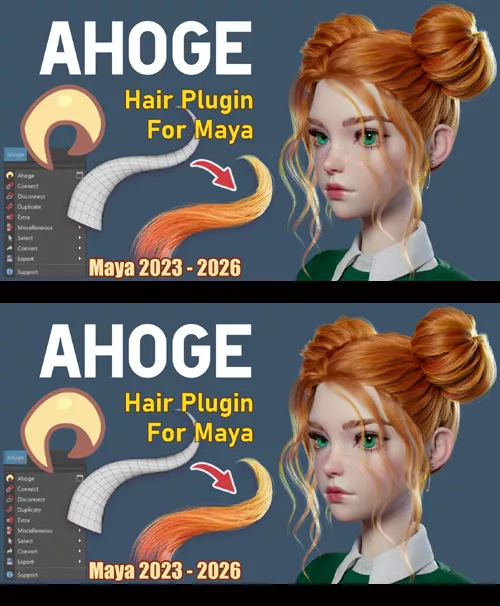
The plugin supports Maya 2023 through 2026 on Windows (macOS isn't supported at this time)
Currently, Ahoge supports rendering in Arnold only and allows exporting hair as Alembic to Unreal Engine and Marmoset Toolbag 5.
To install the plugin, follow the instructions in the ahoge_installer. Manual Installation is also available. If you failed to install the plugin, please contact us, we will try to help you.
We are a small team developing a plugin for Autodesk Maya called Ahoge, designed to simplify the process of creating hairstyles — including stylized and complex ones, such as those often seen in anime, manga, and game projects.
The plugin's name — Ahoge — comes from the Japanese word アホ毛 (a-ho-ge), which literally translates to "foolish hair" or "idiot hair." In anime and manga, an ahoge is a distinctive character design trait: a single, often unruly strand of hair that sticks out, adding charm and personality to the character.
Unlike traditional approaches that rely on hair guides, Ahoge simply populates geometry with hair, making the process more intuitive. It uses NURBS surfaces for hair generation. This is not game-ready haircards, but we have begun development on a toolset for converting Ahoge hair into haircards.
You can model the hairstyle in any software you prefer — for example, in ZBrush using IMM Curve brushes. The only requirement is that the tubes must be open at both ends. In Maya, you'll then need to convert them into NURBS surfaces.
Ahoge includes tools like Nurbopus to speed up hair geometry creation. Future updates will expand its functionality — for example, by adding a procedural braid generator node and other advanced features.
Currently, Ahoge supports rendering in Arnold and allows exporting hair as Alembic to Unreal Engine and Marmoset Toolbag 5.
Since Ahoge works with regular geometry, it animates natively within Maya's system. The hair inherits all movements from its base mesh, complete with motion blur and export capabilities - even for animated hair. We've demonstrated its dynamic behavior in our YouTube channel.
Detail Link: https://www.artstation.com/marketplace/p/vJBvK/ahoge-0-9-2-hair-plugin-for-maya
DOWNLOAD: You must login to show this link. No account? Create One