
Photo Props: Cloud Effect Maker
Related Articles
?3DMax] VrayArt VRay Exterior Training Models and work files only
On 04-Jul-15
by
VrayArt VRay Exterior Training Models and work files only max | 3D models |...
VrayArt VRay Exterior Training Models and work files only max | 3D models |...
[Max] VrayArt VRay Exterior Training Models and work files only
On 18-Jul-16
by
VrayArt VRay Exterior Training Models and work files only max | 3D models |...
VrayArt VRay Exterior Training Models and work files only max | 3D models |...
9MBI – The Entire Site
On 09-May-23
by
...
...
[3DMax] Gnomon Workshop Texture Library Bundle
On 02-Aug-15
by
Gnomon Workshop Texture Library Bundle JPEG | TIFF | Textures | 37.2 GB...
Gnomon Workshop Texture Library Bundle JPEG | TIFF | Textures | 37.2 GB...
Interrogation II: Core Pack
On 23-Feb-25
by
Note: PRODUCT BELOW DESCRIBED FOR DAZ STUDIO. POSER VERSION IS AVAILABLE AS...
Note: PRODUCT BELOW DESCRIBED FOR DAZ STUDIO. POSER VERSION IS AVAILABLE AS...
Vendo Box Road Show
On 08-Sep-25
by
Product: Vendo Box "ROAD SHOW" For Daz Studio and Poser...
Product: Vendo Box "ROAD SHOW" For Daz Studio and Poser...
Volumetric Fog & Mist v10.4
On 08-Dec-19
by
Volumetric Fog & Mist v10.4...
Volumetric Fog & Mist v10.4...
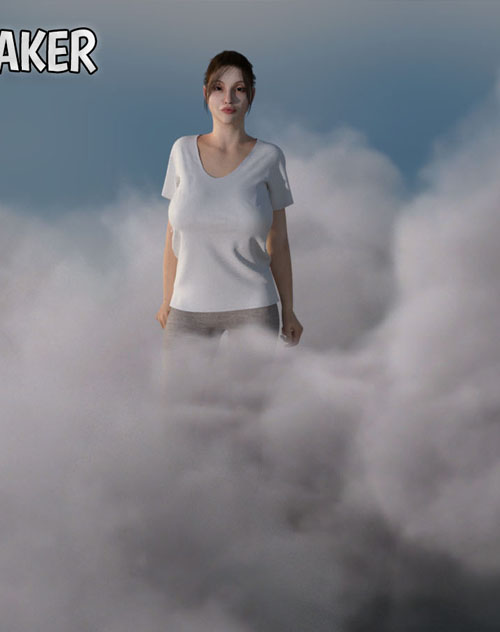
Enjoy a simple VFX products with transparent cloud planes you can easily place into your scenes, either for close up effects or for clouds further away. The clouds are transparent images on a bendable plane, which means fast render times that you wouldn´t get with volumetric particles. The most common problem is that when you are using planes, that you have no control over the light, so with Cloud Effect Maker each cloud come with 13 light configurations and angles, so that you can match the light with pretty much any scene you have!
The lights are day (high sun, including a top/zenith render), afternoon (mid height) and evening (low height), and the configurations are left, right, front, back, and top (day only) If you want some coloration like for sunsets, simply add some color to your light. Make sure you match the type of light/angle in the scene with the chosen cloud, so you get the right angle. Scenes can be lit in many ways, so if you for example find the clouds a bit too dark in the scene, simply go into the material and raise the emission strength (Poser) or luminance (Daz Studio) until you have the right strength. The materials come with a basic, low level emission that you can then dial up as desired in the material.
The textures are 2K, enough to match most skies, and work well for closeups as well, such as adding misty clouds around your characters. Additionally, the 15 different clouds come with a thick and thin transparency version, depending on how thick you want them in your scenes.
The following is included:
15 clouds
Thick and Thin versions
13 different light bakes
This scene is optimized for both Daz Studio and Poser, with separate zips for each.
Product ID: 151203-RO
Detail Link: https://www.renderosity.com/marketplace/products/151203
DOWNLOADYou must login to show this link. No account? Create One
Category: Daz & Poser
Detail Link: https://www.renderosity.com/marketplace/products/151203
DOWNLOADYou must login to show this link. No account? Create One