5.0/5.0 Rating (14+ Reviews) | Trusted by 500+ Artists | Free Lifetime Updates
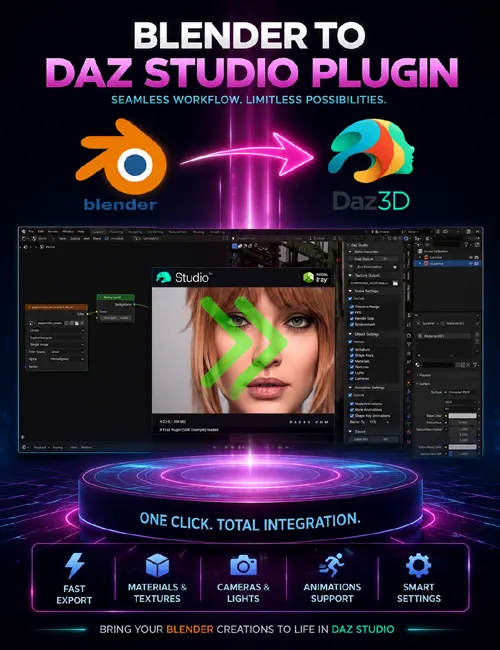
Export complete Blender scenes to DAZ Studio with perfect armature transfer, automatic material conversion, and full animation support—all in one click.
The world’s only Blender to DAZ Studio bridge that delivers production-ready results.
Stop Fighting Broken FBX Exports
You know the pain. Hours perfecting your Blender model—sculpting, rigging, animating, dialing in materials. Then you export to DAZ Studio via FBX and everything breaks.
Armature collapses
Weight maps vanish
Materials look completely wrong
Animations disappear
3-8 hours of manual cleanup ahead
There’s a better way.
One-Click Export, Production-Ready Results
This plugin eliminates the FBX nightmare. Export directly from Blender to DAZ Studio with complete fidelity—no manual cleanup, no lost data, no technical headaches.
Complete Armature Transfer — Bones, weight maps, and hierarchy preserved perfectly
Automatic Material Conversion — PrincipledBSDF → Iray Uber with all textures mapped correctly
Full Animation Support — Keyframes, skeletal animations, shape keys as morphs
Scene-Level Export — Multiple objects, lights, cameras, HDRI environments
Hair & Particle Systems — Export as polylines, fully DAZ-compatible
Custom Rig Support — Works with any armature structure
How It Works (3 Simple Steps)
Step 1: Create your model in Blender (any custom rig supported)
Step 2: Click “Export to DAZ Studio” in the plugin panel
Step 3: Open DAZ Studio—your model is render-ready
That’s it. No FBX cleanup. No material reassignment. No lost animation data.
Professional Features Built for Production Workflows
Perfect Material Fidelity
Automatic PBR texture mapping ensures your materials look identical in DAZ Studio:
Base Color → Base Color
Metallic → Metallicity
Roughness → Glossy Roughness
Specular → Glossy Reflectivity
Transmission → Refraction Weight
Emission → Emission Color & Luminance
Normal Maps → Normal Map
Alpha → Cutout Opacity
Advanced Rigging & Animation
Full armature export with bone hierarchy intact
Weight maps transfer perfectly for natural deformation
Skeletal animations export without baking
Shape keys automatically become DAZ morphs
Keyframe data transfers with correct timing
Face groups for precise material zones
Custom rig support for any armature structure
Complete Scene Control
Export entire scenes with multiple objects in one go
Blender lights convert to DAZ Studio lights automatically
Camera settings and positioning maintained
HDRI environment maps with accurate rotation
Time range, frame rate, and render size preserved
Active View Layer option to export only visible objects
Hair & Particle Systems
Hair particles export as polylines for DAZ Studio
Geometry node hair fully supported
Styling and distribution maintained
Smart Workflow Tools
Merge Textures: Bake complex node setups into simplified texture maps (custom width/height)
Scale as Percent: Precise size control on export
Auto-Save Prompt: Never lose work—saves Blender file before export
Clear DAZ Scene Option: Start fresh with each import
Progress Bar: Real-time feedback during export
3X Faster Import: Optimized for large, complex scenes
Large File Support: Handle production-scale assets with ease
What You Get
Blender to DAZ Studio Plugin (latest version 3.8.61)
Comprehensive PDF documentation
Video tutorial series (Youtube)
Email support (24-hour response time)
Free lifetime updates
Access to exclusive Discord community
Multi-computer license (single user)
Real Artist Results
“This plugin is a game-changer for my workflow. I can now seamlessly transfer my Blender creations to DAZ Studio without losing any detail.”
“The ability to export armatures and animations has saved me countless hours. Highly recommend!”
“Finally, a tool that actually works as advertised. The material conversion is spot-on.”
5.0/5.0 Rating | 14+ Verified Reviews on Superhive Market
Time Savings You Can Measure
Before This Plugin:
3-8 hours of manual FBX cleanup per project
Broken armatures requiring complete re-rigging
Materials needing full reassignment
Lost animation data requiring re-animation
After This Plugin:
One-click export, production-ready in DAZ Studio
Perfect armature transfer, zero manual fixes
Automatic material conversion, looks identical
Complete animation preservation
Average Time Saved Per Project: 3-8 hours
Workflow Improvement: 10X faster iteration
Technical Specifications
Blender Versions: 3.6, 4.0, 4.1, 4.2, 4.3+ (automatically updated for new releases)
DAZ Studio Versions: 4.23+
Operating Systems: Windows 10/11, macOS
Rig Support: Custom armatures and rigs (Genesis 8/9 direct export not currently supported)
Material Systems: PrincipledBSDF (Blender) → Iray Uber (DAZ Studio)
File Formats: Native Blender .blend → DAZ Studio .duf