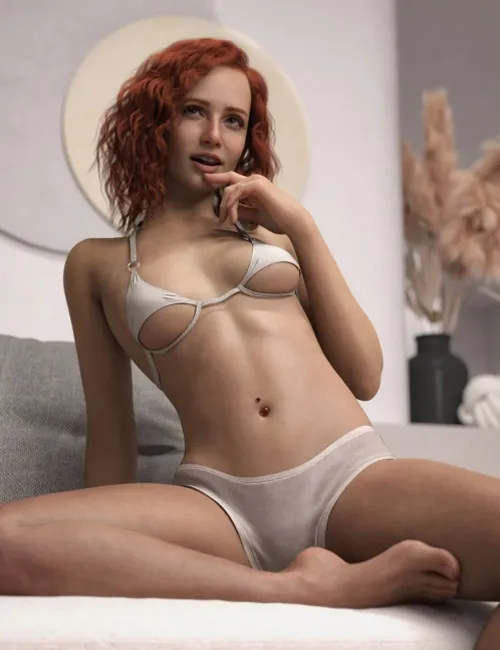
Main Character Folder
The main character folder contains a full character preload, which loads the shape (including scaling), materials, and brows (including eye colour).
The main character folder contains a full character preload, which loads the shape (including scaling), materials, and brows (including eye colour).
Manual Setup (More Control)
If you want more control, load a Genesis 9 Base figure. The character is built on the base, not the feminine shape.
If you want more control, load a Genesis 9 Base figure. The character is built on the base, not the feminine shape.
Character Shapes
The Characters folder contains the following shape presets:
The Characters folder contains the following shape presets:
Full Shape
- !ZD Anneliese G9 Full Shape Apply
- !ZD Anneliese G9 Full Shape Remove
Head
- ZD Anneliese Head Apply
- ZD Anneliese Head Remove
Body
- ZD Anneliese Body Apply
- ZD Anneliese Body Remove
Note: The full shape apply includes scaling. The individual head and body morphs do not include scaling and remain at the standard Genesis 9 base scale.
Materials
The Materials folder contains:
The Materials folder contains:
Skin Apply Preset
Eyes Apply Preset
Brow Colour Preset
Female Anatomy Preset (apply this after selecting the Genesis 9 female anatomy)
Expressions
Expressions can be found in the Parameters tab. Try searching for “ZD Anneliese”.
Expressions can be found in the Parameters tab. Try searching for “ZD Anneliese”.
Expressions are morph-based, so they can be mixed with each other (with care) and also combined with other morph or FACS-based expressions.
Additional Notes
Mouth textures are not included. The promo renders were created using the default Genesis 9 mouth materials.
Material presets use the standard Genesis 9 detail maps.