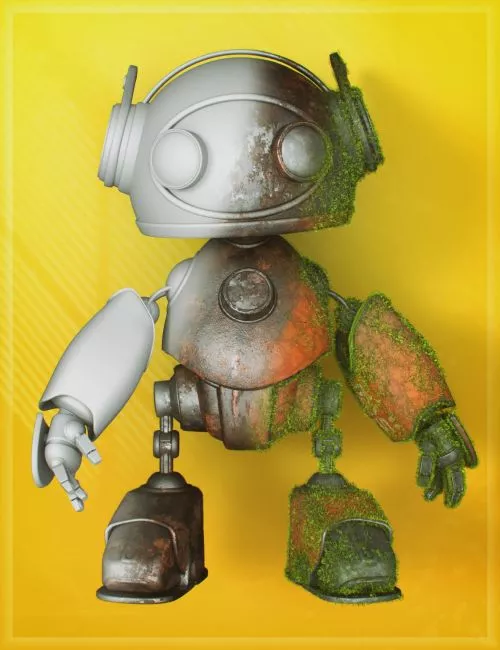
LI The Magic Rug is a modular system of construction assets, props, and materials built around uniquely mapped UVs that allow seamless textures to flow naturally with minimal visible seams. Each product in the collection is designed to integrate smoothly with others, creating a cohesive library of components that can be combined, expanded, and customized over time. Due to the wide variety of shapes and the effort to maintain seamless transitions, texture density may vary, but all applied materials can be easily adjusted in scale to suit your needs.
Seamless textures are at the core of the system. To support this, a comprehensive library of images, shader presets, and opacity maps has been developed to serve as the foundation. This enables quick retexturing, easy customization, and efficient refinement without rebuilding assets. When combined with LI The Magic Rug – Retexturizer and LI The Magic Rug – Shader Presets, users gain precise control over surface detail while keeping everything structured and organized.
Think of LI The Magic Rug as a fully equipped hardware store for digital creation—offering raw components, shared materials, and a flexible system built for scalability and creative freedom.
LI TMR – Retexturizer
The LI TMR – Retexturizer is a key part of the workflow, bringing GeoShells to the forefront as a true layered material system. Since a single texture rarely provides all the detail needed for a complete asset, this tool solves that limitation.
The Retexturizer primarily functions as a collection of scripts and presets that apply one or multiple GeoShell layers to selected assets, each with controlled offset levels. It also includes an extensive library of seamless grunge maps, along with select non-seamless elements such as splatter effects, all accessible through a streamlined preset system. In addition, it provides a wide range of Iray material parameter presets for quick adjustments.
Materials, Shaders, and Workflow
The Retexturizer performs best when used alongside compatible materials and shaders. As a starting point, after applying LI TMR S – Add GeoShell (Vis) – Quicky or LI TMR S – Add GeoShell (Vis) – Sticky, you can assign your own materials and shaders directly onto the shell.
A variety of shell presets are available: some load as invisible and non-selectable, others are immediately selectable, and some are arranged to load in a specific order. The choice depends on your preferred workflow and scene setup.
While the Retexturizer is fully functional on its own, combining it with shader packs significantly enhances its capabilities.
NOTE:
This product is intentionally not placed in a shader or material folder. Instead, it is organized within a structured prop directory, allowing multiple assets to be accessed in one location. This approach streamlines workflow and reduces the need to navigate across different library sections when building complex scenes or detailed compositions.
LI The Magic Rug - Retexturizer
20-04-2026, 10:30