Whether you're refining facial expressions, clothing adjustments, or full character morphs, this collection of utilities gives you precision and speed at your fingertips.
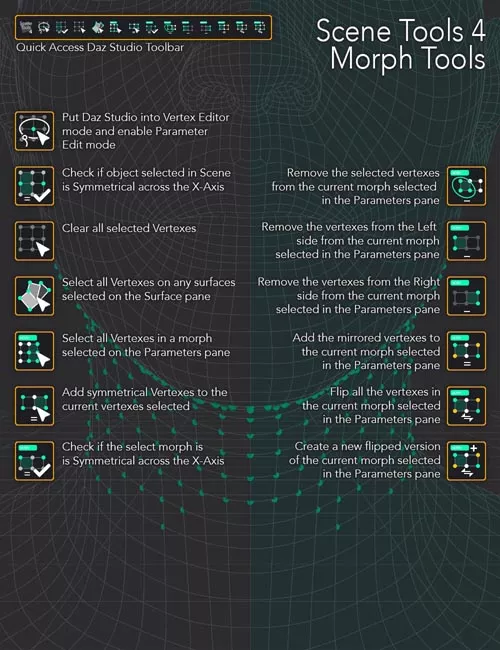
With a quick click on the custom toolbar, you can:
Instantly switch to the perfect morph editing environment (Hidden Line style, Geometry Editor + Lasso, and morphs in edit mode)
Analyze geometry with symmetry checks for both objects and morphs
Quickly select vertices by surface, by morph influence, or symmetrical counterparts
Clean, clear, or remove deltas from morphs with fine-grained control (all, left, right, or selected)
Ensure your morphs are professional grade with symmetry validation and correction tools
Automatically generate flipped or mirrored morphs for faster content creation
Whether you need to correct asymmetries, fine-tune details, or build mirrored variations, the Daz Studio 4 Scene Tools 4 makes morph editing more efficient, consistent, and intuitive.
Perfect for:
Character and clothing morph creators
Content developers seeking precision and automation
Anyone wanting to streamline repetitive morph editing tasks
Save time. Gain accuracy. Build better morphs.