
How to Design Realistic Mechs in Blender
SolidWorks 2017 SP2 Full Premium Multilingual Win x64...
VrayArt VRay Exterior Training Models and work files only max | 3D models |...
Gnomon Workshop Texture Library Bundle JPEG | TIFF | Textures | 37.2 GB...
Tuts+ Premium Texture Pack Collection AI | ESP | JPG | PNG | Textures | 5.1 GB...
Updated 26-7-8: The G9 version was fixed with unlinked JCMs in the shoulder....
SolidWorks 2021 SP2.0 Full Premium Win x64...
FILES UPDATED! Apologies, for some reason some of my JCMs were not locked to...
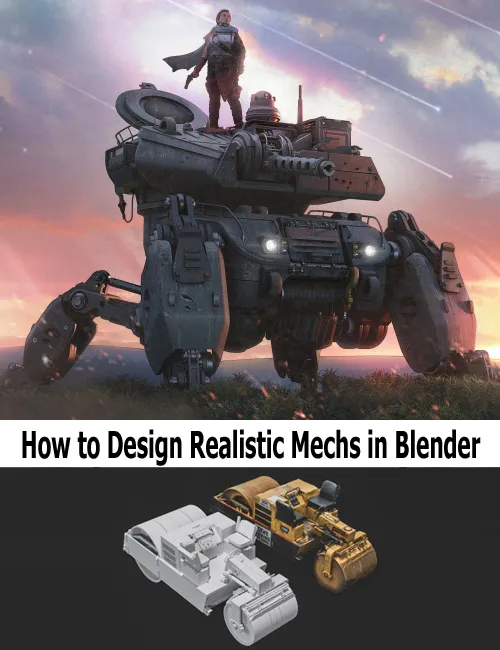
From basic shapes to finished mechs. Learn how to design and build believable sci-fi mechs from scratch
20+ hours of content (subbed in 8 languages)
1. Laying the Foundation
We\'ll dive deep into my personal teaching philosophy and establish some learning goals. At the end, I\'ll show you around my own blender setup and share some tips to put you on good footing for the rest of the course.
2. Self Limitation
We\'ll introduce a crucial self imposed challenge exercise. Akin to training with weight vest, mastering this section will allow you to work with more confidence and efficiency in lessons to come.
3. Expanding the Tool-kit
Time to take the gloves off.
Here, we introduce our full array of modeling tools. We\'ll employ practical methods for creating believable 3D components that will be crucial for bringing our mech to life.
4. Design Philosophy
This is where things start to come together - the blockout stage. We\'ll walk through real world references to understand how forms are logically layered, connected, and built with purpose. We\'ll demonstrate some easy-to-follow strategies to successfully navigate this pivotal design step every single time.
5. Refining the Vision
Here we\'ll tackle the crux of every mech design. This is where designs succeed or fall apart. This transition from blockout to refinement is a delicate push and pull - a precarious dance made almost effortless thanks to our skills from lessons 1-4. Instead of rushing into detail, we practice restraint. We build complexity gradually - refining the entire model in stages so every decision supports the overall design.
6. Materials and Shaders
In this section, you’ll learn a fast, flexible approach to materials and texturing—focused on clarity and impact, not complexity. We’ll cover a streamlined painting workflow for adding wear, damage, and variation, along with simple shader techniques that enhance form and readability.
7. Developing Keyframes
Strong design deserves a strong presentation. In this final section, you’ll learn how to present your work like a concept artist—not just a modeler. We’ll create cinematic keyframes that showcase your mech in action. We\'ll use lighting, composition, and environment to tell a story. I’ll share my render setup and post-processing workflow, including the techniques I use in Photoshop to push images to a professional level.
Detail Link: https://cgcharacters.com/products/designing-your-own-mech-in-blender-course
DOWNLOADYou must login to show this link. No account? Create One