
Tinkercad - Easy Modeling to Create DAZ Studio Assets
Related Articles
[3DMax] Gnomon Workshop Texture Library Bundle
On 02-Aug-15
by
Gnomon Workshop Texture Library Bundle JPEG | TIFF | Textures | 37.2 GB...
Gnomon Workshop Texture Library Bundle JPEG | TIFF | Textures | 37.2 GB...
Simulation Lab Software SimLab Composer 8.v8.2.1 Win/Mac
On 04-Jan-18
by
Simulation Lab Software SimLab Composer 8.v8.2.1 Win/Mac...
Simulation Lab Software SimLab Composer 8.v8.2.1 Win/Mac...
Great Art Now Daz3D Tutorial Bundle
On 02-Jun-23
by
...
...
SimLab Composer 2015 5.1.9 SP1 (x86/x64) | 526.83 MB
On 09-Mar-15
by
SimLab Composer 2015 5.1.9 SP1 (x86/x64) | 526.83 MB | 538.42 MB...
SimLab Composer 2015 5.1.9 SP1 (x86/x64) | 526.83 MB | 538.42 MB...
Zero-G Bundle
On 12-Apr-24
by
Description Zero-G Bundle Includes: Madlab 5: Zero-G Core Pack: - Chamber:...
Description Zero-G Bundle Includes: Madlab 5: Zero-G Core Pack: - Chamber:...
Labworks 2 Equipment Pack 1 for DS and Poser
On 21-Nov-23
by
Product: Labworks 2 Equipment Pack 1 for Daz Studio and Poser Vendor/Creator:...
Product: Labworks 2 Equipment Pack 1 for Daz Studio and Poser Vendor/Creator:...
Adobe Master Collection 2022 RUS-ENG v3 Win x64
On 03-Feb-22
by
Adobe Master Collection 2022 RUS-ENG v3 Win x64...
Adobe Master Collection 2022 RUS-ENG v3 Win x64...
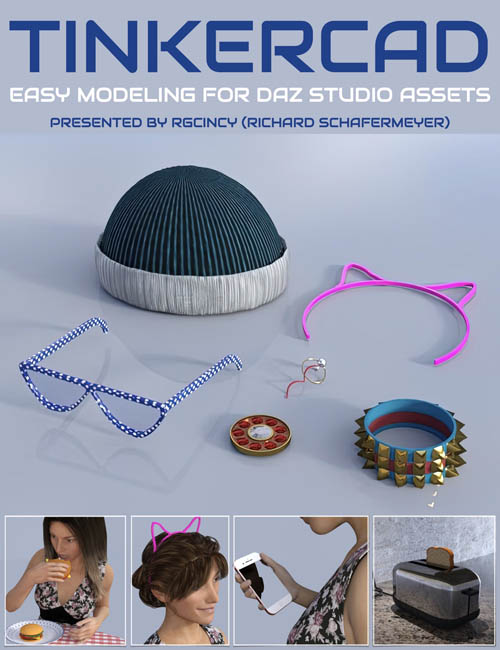
Rgcincy (Richard Schafermeyer) is an experienced modeler who has previously written his own 3D modeling software (Shape Magic) plus is a very experienced DAZ Studio user.
Over the last year he’s discovered Tinkercad, a free online modeling tool by Autodesk. It’s easy to use for creating models destined for 3D printing and producing assets for 3D software, such as DAZ Studio. Rich has been very impressed with Tinkercad and he’d now like to show you the benefits of this application.
Tinkercad is perfect for those that want to get started in creating 3D models for DAZ Studio without learning a complex modelling program.
Total Running Time
1 hour 32 minutes
2 x MP4 HD format videos
Searchable version (search on any keyword or phrase) included
Rich will show you Tinkercad so that you can…
- Understand the Tinkercad interface comprehensively
- Create simple to more complex 3D models.
- Transform your models into a Minecraft or Lego style
- Export the models for use in 3D printing and 3D programs
- Import the models into DAZ Studio and add textures
- Learn how to import models from DAZ Studio for modification
- Utilise the Tinkercad library of pre-made models in DAZ Studio
- See how models can be animated by using gravity in Simlab
- Play with materials and connectors in Simlab.
This is for you if you…
- You want to get started in creating 3D models without learning a complex modelling program
- You need a 3D prop or figure accessory that is not available or too expensive to buy
- You want to get into 3D printing and need a simple, free CAD program to make models
- Creating models by stacking and combining simple shapes sounds like fun
Rich is going to show you how to use Tinkercad even if you…
- Have little or no experience with 3D modeling
- Have never used a CAD program before
Sample Video
Product ID: 97758-DAZ
Detail Link: https://www.daz3d.com/tinkercad--easy-modeling-to-create-daz-studio-assets
DOWNLOADYou must login to show this link. No account? Create One
Category: Daz & Poser
Detail Link: https://www.daz3d.com/tinkercad--easy-modeling-to-create-daz-studio-assets
DOWNLOADYou must login to show this link. No account? Create One