
FF's Content Creation Poses for Genesis 9
Related Articles
Chassia Outfit G8F/G9F
On 11-Dec-23
by
Give your ladies a new sexy outfit, it's sportive, but also ideal for...
Give your ladies a new sexy outfit, it's sportive, but also ideal for...
Venus Outfit G8F
On 12-Feb-24
by
Required 3rd Party Products Genesis 8 Female...
Required 3rd Party Products Genesis 8 Female...
Tera Outfit G8F
On 28-Feb-24
by
A new stunning outfit for your digital ladies is now ready to play with! You...
A new stunning outfit for your digital ladies is now ready to play with! You...
Sano Suit G8F
On 12-Feb-25
by
A new astonishing suit waits for your Genesis8Females. Purrfect for scifi or...
A new astonishing suit waits for your Genesis8Females. Purrfect for scifi or...
BG3D Maryam for G9 - Bonus Set
On 11-Nov-25
by
DESCRIPTION: My new character Maryam with Bonus Halloween Materials are now...
DESCRIPTION: My new character Maryam with Bonus Halloween Materials are now...
Rissi Suit G8F
On 16-Jan-24
by
Space exploration, super heroine or party hopper. Although revealing, this...
Space exploration, super heroine or party hopper. Although revealing, this...
Fotia Outfit G8F
On 20-Sep-23
by
Fotia is greek and means fire, and this outfit is hot as fire. You get: -...
Fotia is greek and means fire, and this outfit is hot as fire. You get: -...
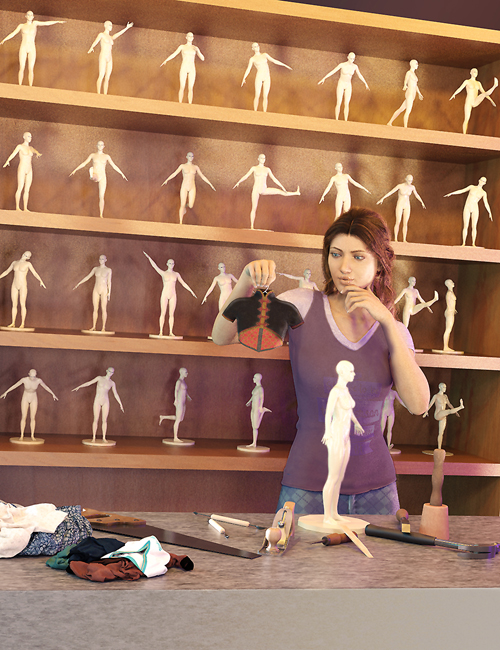
The FF's Content Creation Poses for Genesis 9 set is an easy-to-use utility pose set that will make content creation less of a task. Rather than look up the name of the CBS, then scroll the dial to the correct setting on the correct bone in the parameters tab, just to find a problem bend for the character, outfit, or hair you're creating, it's a one-click solution!
With the Genesis 9 figure selected, look in the content or smart content tabs for the FF's Content Creation Poses for Genesis 9 folder, and navigate to the CBS (Corrective Blend Shape) in question - they're color indicated by area or bone on the Genesis 9 figure and double click to activate on the figure.
It's that simple!
Export your future project/product into your modeler with the Content Creation Pose on the figure and adjust your mesh to fit.
Reimport the adjusted mesh back into Daz Studio via Morph Loader Pro - no mess, no fuss! As an added bonus, the name of each pose has the name of the CBS in it! So all you need to do is copy and paste. No more mistyping the wrong name!
FeralFey utility poses are fact-checked for accuracy to match the CBS bends in the Genesis 9 figure.
Product ID: 87806-DAZ
Detail Link: https://www.daz3d.com/ffs-content-creation-poses-for-genesis-9
DOWNLOAD: You must login to show this link. No account? Create One
Category: Daz & Poser
Detail Link: https://www.daz3d.com/ffs-content-creation-poses-for-genesis-9
DOWNLOAD: You must login to show this link. No account? Create One