
Texture Animator
Related Articles
?3DMax] VrayArt VRay Exterior Training Models and work files only
On 04-Jul-15
by
VrayArt VRay Exterior Training Models and work files only max | 3D models |...
VrayArt VRay Exterior Training Models and work files only max | 3D models |...
[Max] Forza Motorsport 4 Complete Collection Car & Drive Out 3DMax Models
On 06-Dec-15
by
Forza Motorsport 4 Complete Collection Car & Drive Out 3DMax Models max |...
Forza Motorsport 4 Complete Collection Car & Drive Out 3DMax Models max |...
Chassia Outfit G8F/G9F
On 11-Dec-23
by
Give your ladies a new sexy outfit, it's sportive, but also ideal for...
Give your ladies a new sexy outfit, it's sportive, but also ideal for...
[Max] Forza Motorsport 3 Automodels 9.5 GB!
On 06-Dec-15
by
Forza Motorsport 3 Automodels 9.5 GB! max | 3D models | 9.5 GB...
Forza Motorsport 3 Automodels 9.5 GB! max | 3D models | 9.5 GB...
[Max] VrayArt VRay Exterior Training Models and work files only
On 18-Jul-16
by
VrayArt VRay Exterior Training Models and work files only max | 3D models |...
VrayArt VRay Exterior Training Models and work files only max | 3D models |...
Venus Outfit G8F
On 12-Feb-24
by
Required 3rd Party Products Genesis 8 Female...
Required 3rd Party Products Genesis 8 Female...
Tera Outfit G8F
On 28-Feb-24
by
A new stunning outfit for your digital ladies is now ready to play with! You...
A new stunning outfit for your digital ladies is now ready to play with! You...
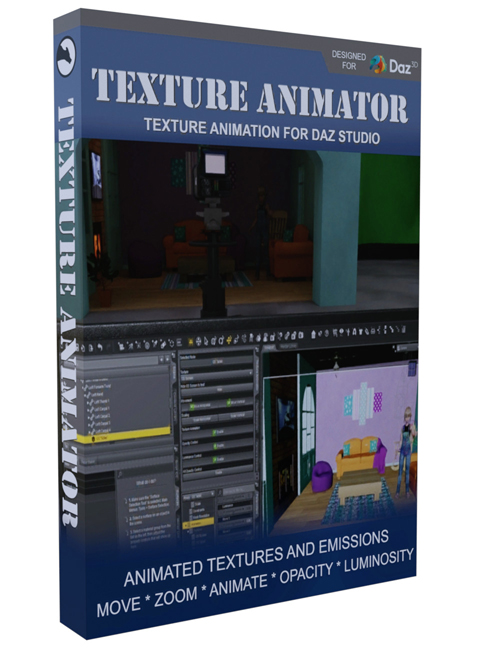
Control a texture's position and scale in the timeline. This allows a surface to move horizontally and/or vertically. With the right texture, you can have rain fall, water from a shower or faucet run, or a lake's waves come up to shore. Have a scrolling ticker or billboard run across a plane. Make a treadmill track move under a character's feet. Combine the effects to have a character operate a touch screen with zoom, scroll, and change pages.
Animate the actual texture with multiple images! Use images rendered from Daz Studio or export video files from your favorite editor into image sequences to make surfaces move. Use an explosion sequence for a very low poly action scene. Make computer monitors and television screens update. Because the current image displayed is controlled in the time line, you can change the speed in the scene, and even play video backward. Use a loop to have a campfire burning or simulated blur on a moving vehicle's wheels.
Control opacity on the timeline! Now your characters can practice magic, or perhaps you want smooth transitions for props going in and out of scenes. Use it for clothing that becomes wet and starts to dry.
Adjust luminance at the point you need it. Make warning lights flash on and off. Have a muzzle flash from a weapon go to high luminance for a frame or two. Show the light in a robot's eyes fade slowly as its power fails. Turn on the dashboard lights in a car when the key is turned. Whenever you need to control luminance on the timeline, Texture Animator gives you the tool to do it.
For 64-bit Windows systems only.
Product ID: 97880-DAZ
Detail Link: https://www.daz3d.com/texture-animator
DOWNLOADYou must login to show this link. No account? Create One
Category: Daz & Poser
Detail Link: https://www.daz3d.com/texture-animator
DOWNLOADYou must login to show this link. No account? Create One