
Digital Nature
Related Articles
?3DMax] VrayArt VRay Exterior Training Models and work files only
On 04-Jul-15
by
VrayArt VRay Exterior Training Models and work files only max | 3D models |...
VrayArt VRay Exterior Training Models and work files only max | 3D models |...
Great Art Now Daz3D Tutorial Bundle
On 02-Jun-23
by
...
...
[Plugins] The Foundry MODO 10.2v1 Win/Mac
On 18-Oct-16
by
The Foundry MODO 10.2v1 Win/Mac...
The Foundry MODO 10.2v1 Win/Mac...
[Tutorials] 3DBuzz - Technical Rigging Houdini Volumes 1 - 5
On 20-Mar-16
by
3DBuzz - Technical Rigging Houdini Volumes 1 - 5...
3DBuzz - Technical Rigging Houdini Volumes 1 - 5...
9MBI – The Entire Site
On 09-May-23
by
...
...
[Max] VrayArt VRay Exterior Training Models and work files only
On 18-Jul-16
by
VrayArt VRay Exterior Training Models and work files only max | 3D models |...
VrayArt VRay Exterior Training Models and work files only max | 3D models |...
Labworks 2 Equipment Pack 1 for DS and Poser
On 21-Nov-23
by
Product: Labworks 2 Equipment Pack 1 for Daz Studio and Poser Vendor/Creator:...
Product: Labworks 2 Equipment Pack 1 for Daz Studio and Poser Vendor/Creator:...
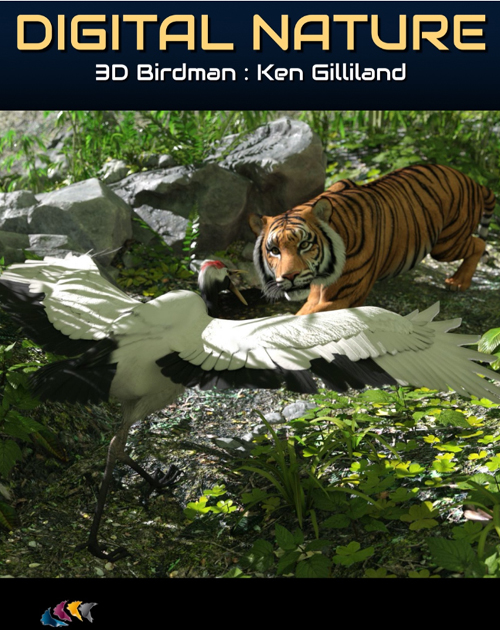
Ken Gilliland is a seasoned artist and has been involved with Poser and Daz Studio since the early years. He is at the forefront of modeling, rigging, and texturing some of nature’s greatest wonders and is passionate about educating about the environment through his artwork and 3D models.
In Digital Nature, learn about Ken’s history in creating Poser and Daz Studio content and discover key points from his workflow, including how he creates layered transparencies for his bird models to provide realistic texturing for his work.
This 3-hour tutorial pack includes 2 MP4 videos that are searchable and include captions.
Learn:
- Ken’s history as a digital artist — going all the way back to Sketcher in the early 80s
- His typical workflow with Modo, Poser, Daz Studio, and Painter
- How his Wacom Intuos is his most essential work tool
- How he provides depth for feathers on creating the texture maps
- Why Ken works on 2 projects at once
- Valued advice for freelance artists
- Top advice for creating promotional art
- About Ken’s best selling products
Bonus Tutorial: Digital Gardens (hosted by Tiffanie Grey)
This community workshop tutorial has a range of artists sharing utilities, tips, and artwork to create natural environments. It includes:
- Tree and ivy generators
- How to create Billboards for Daz Studio
- A demonstration of Flowscape
- Various recommended assets from the Daz 3D store to create garden scenes
- Artwork created with Daz Studio, Carrara, Photoshop, and VUE
Product ID: 82719-DAZ
Detail Link: https://www.daz3d.com/digital-nature
DOWNLOADYou must login to show this link. No account? Create One
Category: Daz & Poser
Detail Link: https://www.daz3d.com/digital-nature
DOWNLOADYou must login to show this link. No account? Create One