
Jason Pose Manager
Related Articles
?3DMax] VrayArt VRay Exterior Training Models and work files only
On 04-Jul-15
by
VrayArt VRay Exterior Training Models and work files only max | 3D models |...
VrayArt VRay Exterior Training Models and work files only max | 3D models |...
Chassia Outfit G8F/G9F
On 11-Dec-23
by
Give your ladies a new sexy outfit, it's sportive, but also ideal for...
Give your ladies a new sexy outfit, it's sportive, but also ideal for...
[Max] VrayArt VRay Exterior Training Models and work files only
On 18-Jul-16
by
VrayArt VRay Exterior Training Models and work files only max | 3D models |...
VrayArt VRay Exterior Training Models and work files only max | 3D models |...
MEGA BLENDER COLECTION-16-3-2024
On 16-Mar-24
by
INCLUDE: Hair Brick Pro for Blender v2.1 Retopoflow for Blender v3.4.3 Drag...
INCLUDE: Hair Brick Pro for Blender v2.1 Retopoflow for Blender v3.4.3 Drag...
Venus Outfit G8F
On 12-Feb-24
by
Required 3rd Party Products Genesis 8 Female...
Required 3rd Party Products Genesis 8 Female...
Tera Outfit G8F
On 28-Feb-24
by
A new stunning outfit for your digital ladies is now ready to play with! You...
A new stunning outfit for your digital ladies is now ready to play with! You...
Sano Suit G8F
On 12-Feb-25
by
A new astonishing suit waits for your Genesis8Females. Purrfect for scifi or...
A new astonishing suit waits for your Genesis8Females. Purrfect for scifi or...
Introduction
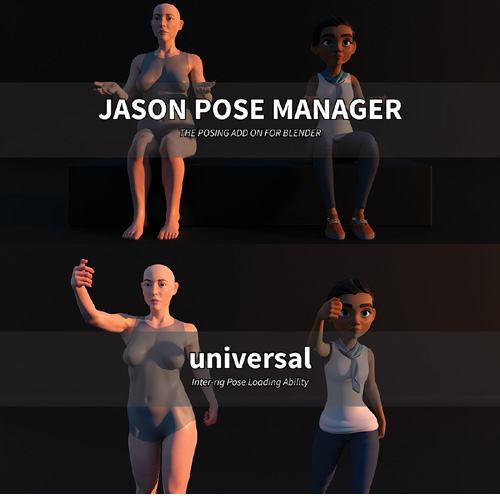
I know that this add on is not going to be the most familiar one you have ever found so far. But it works like one default Blender's add-on that you probably have heard of or even used before, Blender's Pose Library.
So yeah, Jason Pose Manager (JPM) works like Pose Library (PL), in that they both are basically pose saving and management add-ons. Just like any other Blender's assets, you can save the poses, so that you can load them again later into a different number of future projects when you need so. It's an easy concept, right?
Then you'd think, well, Pose Library is free. If they work in similar fashion, why should I pay for this JPM?
I found that the best analogy to illustrate the difference between JPM and Pose Library is the difference between taking pictures with a smartphone that you got for your birthday and investing a professional DSLR. They both take great pictures. Even smartphones today are actually getting better at taking pictures than DSLR, and not to mention, easier to use as well.
With a smartphone, well, you got it for your birthday, so it's basically free. So, why on earth would you spend hundreds or even thousands of dollars investing a professional DSLR just to do basically the same thing, that is taking pictures? I can sum up the answer in two words: dedicated functionalities.
Dedicated functionalities, when broken down each on its own, is not really big. Instead of using screen to adjust settings, they use buttons. Instead of having to click three times, they only have to do it once. Not so big of a change right? But when you combine them together, and when you use them often, you will then start to feel those small incremental betterness turn into one collectively better experience.
Product ID: blendermarket-jason-pose-manager
Detail Link: https://www.blendermarket.com/products/jason-pose-manager
DOWNLOADYou must login to show this link. No account? Create One
Category: Daz & Poser
Detail Link: https://www.blendermarket.com/products/jason-pose-manager
DOWNLOADYou must login to show this link. No account? Create One