
DEEP Postwork : Complete Guide to Enhance your DAZ Studio Renders
Related Articles
?3DMax] VrayArt VRay Exterior Training Models and work files only
On 04-Jul-15
by
VrayArt VRay Exterior Training Models and work files only max | 3D models |...
VrayArt VRay Exterior Training Models and work files only max | 3D models |...
Great Art Now Daz3D Tutorial Bundle
On 02-Jun-23
by
...
...
[Video training] Udemy Advanced interior 3d visualisation in 3ds max and V-ray
On 07-Nov-16
by
Udemy Advanced interior 3d visualisation in 3ds max and V-ray Video: AVC...
Udemy Advanced interior 3d visualisation in 3ds max and V-ray Video: AVC...
Udemy Advanced interior 3d visualisation in 3ds max and V-ray
On 05-Jun-16
by
Udemy Advanced interior 3d visualisation in 3ds max and V-ray Video: AVC...
Udemy Advanced interior 3d visualisation in 3ds max and V-ray Video: AVC...
Udemy Advanced interior 3d visualisation in 3ds max and V-ray - repost
On 19-Jan-17
by
Udemy Advanced interior 3d visualisation in 3ds max and V-ray Video: AVC...
Udemy Advanced interior 3d visualisation in 3ds max and V-ray Video: AVC...
[Tutorials] FXPHD : MYA224 Maya Foundations: Simulation and Effects
On 14-May-16
by
FXPHD : MYA224 Maya Foundations: Simulation and Effects | 3.5 GB...
FXPHD : MYA224 Maya Foundations: Simulation and Effects | 3.5 GB...
[Tutorials] Digital Tutors - Compositing a 3D Architectural Rendering in Photoshop and 3ds Max
On 05-May-16
by
Digital Tutors – Compositing a 3D Architectural Rendering in Photoshop and 3ds...
Digital Tutors – Compositing a 3D Architectural Rendering in Photoshop and 3ds...
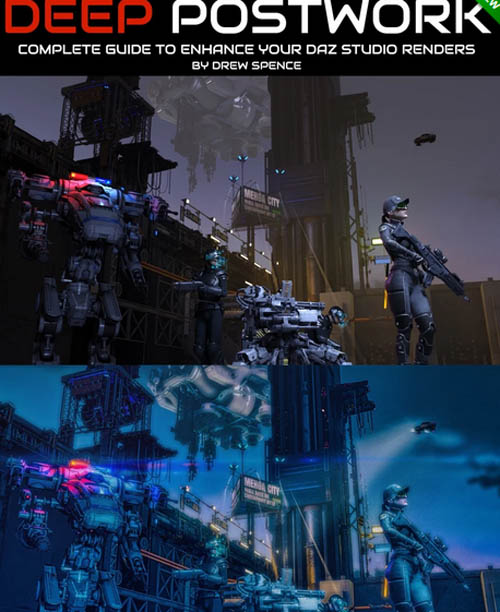
At some point, working to enhance a raw render by using postwork is inevitable. Much effort can be put into a render to help make it “pop” by adjusting and re-rendering – ending up with too many iterations and a high cost in time for your efforts.
Have you experienced hours of waiting for a render, only to discover render artifacts? The frustration is palpable and your intuition tells you that there are ways to fix it…but how?
What about the large heap of renders that you’ve cast upon the “discarded” pile? You may have artwork that’s too dark (or too light), or lacked a certain impact. What if you could add elements to that render, even if you no longer had the original scene?
What if you learned a whole range of techniques that solved all of these challenges and gave you a “go-to” toolkit that enriched your art? Imagine rescuing many of those renders that you would normally abandon.
What if you were able to get a deep knowledge of postwork that saved you hours of time in your workflow and increasedyour productivity, where some of this is understanding when to stop tinkering with a 3D scene and use postwork instead to finish the job.
How about finding artwork pieces in your folders that could serve as foundations for creating new styles and new directions by using more advanced postwork techniques?
This 8 part video course by Drew Spence is for digital artists that....
1) Are using DAZ Studio or other 3D software that needs a comprehensive toolkit to fix problematic renders
2) Artists that need to know how to speed up their workflow
3) Artists that want to explore styling and overpainting.
4) Artists that want to utilize older renders to the max.
Product ID: 91960-DAZ
Detail Link: https://www.daz3d.com/deep-postwork--complete-guide-to-enhance-your-daz-studio-renders
DOWNLOAD: You must login to show this link. No account? Create One
Category: Daz & Poser
Detail Link: https://www.daz3d.com/deep-postwork--complete-guide-to-enhance-your-daz-studio-renders
DOWNLOAD: You must login to show this link. No account? Create One